
Google Analytics 4 has been the standard for several years now, and plenty of marketers still have a complicated relationship with it. Universal Analytics felt more intuitive in many respects, and we will freely admit that there are parts of it we still miss. GA4, however, has become considerably more capable than the version many of us first encountered during the forced migration.
For media buyers and planners, the value of GA4 comes from knowing where to look when a campaign raises a question. Sometimes the answer lives in a basic Acquisition report. Other situations require a funnel exploration, an attribution report, or analysis outside the GA4 interface altogether. The platform has accumulated enough reporting options that periodically revisiting what is available can reveal tools you may have ignored, forgotten about, or never needed until now.
Acquisition Is Still the Natural Starting Point
Acquisition remains one of the most important areas for anyone evaluating marketing performance. Traffic Acquisition shows where sessions are coming from across paid and organic sources, while User Acquisition focuses on how users were originally acquired. The distinction matters when a customer interacts with a brand several times before taking action.
Media teams can use these reports to compare traffic volume, engagement, conversions, and revenue across channels, sources, mediums, and campaigns. A paid social campaign that looks successful inside an ad platform may tell a different story once its site traffic is compared with paid search, organic search, email, referral traffic, and other sources under a common analytics framework.
A particularly useful recent addition is the dedicated AI Assistant channel. GA4 can now classify traffic from recognized AI assistants such as ChatGPT, Gemini, and Claude rather than leaving marketers to identify every LLM referral manually. The platform assigns qualifying traffic an ai-assistant medium and groups it into an AI Assistant channel within Default Channel Group reporting.
AI referral traffic may still represent a relatively small share for many websites, but its inclusion matters. Marketers can begin comparing how visitors arriving from AI assistants behave against users coming from traditional organic search, paid media, social, and other channels. Google has also introduced Source Group classifications designed to clean up inconsistent source naming and specifically includes emerging sources such as ChatGPT and Perplexity in its evolving framework.
Engagement Shows What Happened After the Click
Acquisition tells us how people arrived. Engagement helps determine whether their visit was worthwhile.
Pages and Screens, Landing Page, Events, and other engagement reporting can show which content people consume, where they begin their visit, and which actions occur once they reach the site. For media planners, the value becomes apparent when platform metrics and business outcomes do not line up.
Suppose two campaigns generate nearly identical CPCs and click-through rates. Campaign A sends people to a landing page where they engage deeply, view additional pages, and complete meaningful events. Campaign B generates comparable traffic volume but produces short, shallow sessions. The ad platforms may make those campaigns appear similar while GA4 reveals a significant difference in traffic quality.
Landing-page analysis is especially useful when diagnosing a decline in conversion performance. Strong click metrics paired with deteriorating site engagement can redirect the investigation away from media delivery and toward page experience, message continuity, site speed, form behavior, or another post-click problem. Media optimization becomes much more precise when the team can identify where the customer journey is actually breaking down.
Business Objectives Make Reporting More Relevant
Not every company should have the same GA4 navigation, and Google increasingly organizes reporting around the goals selected for the property. Business objectives can include generating leads, driving sales, understanding traffic, and evaluating engagement and retention, with corresponding reporting collections built around those priorities.
A lead-generation company may spend more time evaluating acquisition, lead events, and the quality of traffic reaching important forms. An ecommerce company has an entirely different set of questions involving products, revenue, checkout behavior, promotions, and purchase journeys. GA4's ecommerce reporting includes views such as Ecommerce Purchases, Purchase Journey, and Checkout Journey, giving retailers visibility into how people move from product discovery toward a completed transaction.
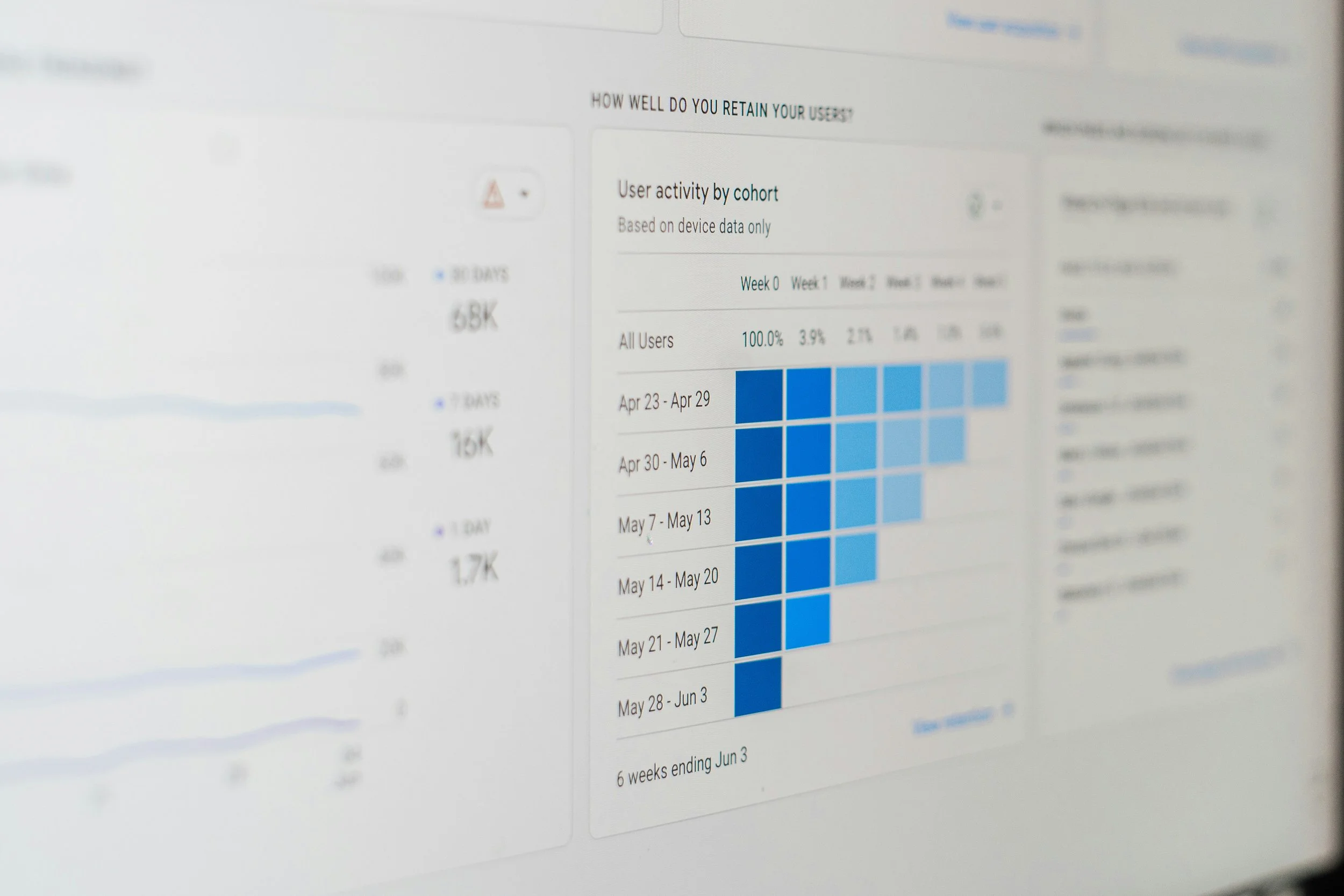
Retention becomes more valuable for businesses where repeat engagement matters. A subscription business, publisher, SaaS company, or retailer with frequent repeat purchasing may care considerably more about whether users return than a company built around infrequent, high-consideration transactions. GA4 includes retention reporting for examining how effectively users return and remain engaged over time.
The point is not to use every available report. Strong analytics work begins with the business question and then finds the report capable of answering it.
The Report Library Is Worth Customizing
GA4 does not have to remain in its default configuration. Editors and administrators can use the Report Library to customize existing reports, create new detail or overview reports, and control which collections appear in the primary Reports navigation.
Customization becomes useful when a team repeatedly answers the same questions. If marketing leadership regularly evaluates landing pages by source, campaign, and conversion performance, building a report around those dimensions may be more efficient than reconstructing the analysis every month. Ecommerce teams, lead-generation marketers, and media agencies can each create views that reflect the metrics their organizations actually use.
A thoughtfully configured property reduces the amount of time people spend hunting through GA4. Reporting should make important information easier to reach, not require every user to remember where Google decided to place it.
Explore Is Where the Better Questions Often Get Answered
Standard reports handle routine monitoring well. Explorations become valuable when the question gets more specific.
Funnel Exploration can show where users drop out of a defined process, such as moving from a product page to cart, checkout, and purchase. Path Exploration takes a less rigid approach, allowing marketers to see the routes users follow from a starting point or work backward from an important event to understand what happened beforehand.
We have spent many hours inside Explorations helping clients answer questions that standard reports could not resolve cleanly. Which pages do paid social visitors tend to view before converting? Where do users abandon an application process? Does a particular campaign introduce users who return through another channel later? What happens after someone interacts with a particular piece of content?
Cohort Exploration adds another layer by grouping users around shared characteristics and tracking how their behavior develops over time. The value depends heavily on the business and the amount of available data, but for brands concerned with retention, repeat purchasing, subscriptions, or long-term engagement, cohort analysis can reveal patterns that aggregate reporting hides.
Explorations are also one of the areas where GA4 improved on what was broadly available in Universal Analytics. Techniques such as funnel, segment, cohort, and path analysis give standard GA4 properties access to analytical capabilities that once required more specialized setups or higher-tier products.
The Advertising Section Is Becoming More Important
Media teams should spend more time in GA4's Advertising section than many currently do. Google has been building it into a broader cross-channel measurement workspace rather than limiting it to a few attribution views.
Current reporting can help marketers evaluate conversion performance, compare attribution approaches, study conversion paths, and understand how channels contribute at different points in the customer journey. GA4's recent Conversion Attribution Analysis capabilities can separate assisting interactions from closing interactions and examine early, middle, and late touchpoints across multi-step journeys.
The practical benefit is a better view of channels that last-click reporting tends to undervalue. A prospect may first encounter a brand through display, connected TV, YouTube, paid social, or another upper-funnel placement before later converting through paid search or a direct visit. Treating the final interaction as the entire story can lead marketers to cut the media that created the demand in the first place.
Google has also been adding cross-channel budgeting functionality, including projection and scenario-planning tools intended to help marketers evaluate spend, conversions, revenue, and potential allocation changes across channels. Availability remains dependent on property eligibility as Google continues rolling out some of these capabilities.
Media planners should view these tools as another analytical input rather than an automatic answer to budget allocation. Any model built inside a media or analytics ecosystem deserves scrutiny, particularly when the same company benefits financially from increased advertising investment. Used alongside agency analysis, platform data, CRM results, and business context, however, the Advertising workspace has considerably more potential than its relatively quiet corner of the GA4 interface might suggest.
BigQuery and Google Data Studio Extend the Possibilities
Eventually, sophisticated analytics questions can outgrow the GA4 interface. BigQuery export provides access to more granular Analytics data and gives advanced teams considerably more flexibility to query, combine, and analyze information outside standard reports. Google supports daily and streaming exports for GA4, subject to property and export limits.
BigQuery becomes particularly useful when GA4 data needs to be combined with CRM records, advertising cost data, ecommerce information, offline sales, or other first-party sources. Instead of accepting the dimensions and visualizations available in the interface, analysts can build queries around the actual business problem.
Google Data Studio offers another route for turning GA4 information into customized dashboards and client-facing reporting. GA4 data can be visualized in Data Studio, allowing teams to combine analytics information with other sources and present it in a format better suited to ongoing monitoring.
Neither integration is necessary for every advertiser. A small organization with straightforward reporting needs may get everything it requires from GA4 itself. Larger datasets, more complicated customer journeys, multiple advertising platforms, or sophisticated attribution requirements can eventually make external analysis worth the additional setup.
GA4 Is Most Useful When the Question Comes First
GA4 can still be frustrating. Its interface is less intuitive in places than Universal Analytics was, familiar information sometimes seems unnecessarily difficult to find, and Google's continued additions mean the platform never stays completely still for very long.
Its reporting capabilities are deeper than they sometimes receive credit for, though. Acquisition and Engagement can answer the everyday questions. Business Objective collections bring reporting closer to the company's actual goals. Explorations help diagnose more complicated user behavior, while the Advertising workspace opens additional views into attribution and media allocation. AI Assistant reporting, BigQuery, and external visualization tools continue to expand what marketers can learn from the same underlying website data.
The strongest analytics practice does not begin by opening every report GA4 offers. It begins with a marketing or business question worth answering, followed by an understanding of which reporting tool can provide the clearest evidence. Media buying gets smarter when website behavior, campaign performance, and business outcomes are evaluated together, and GA4 still provides one of the most important places where those parts of the story meet.